

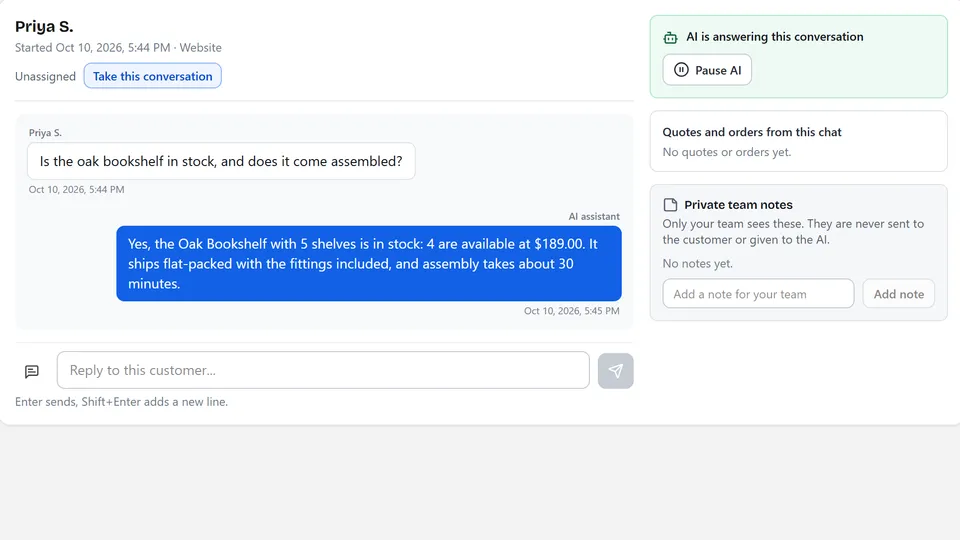
Price and stock questions
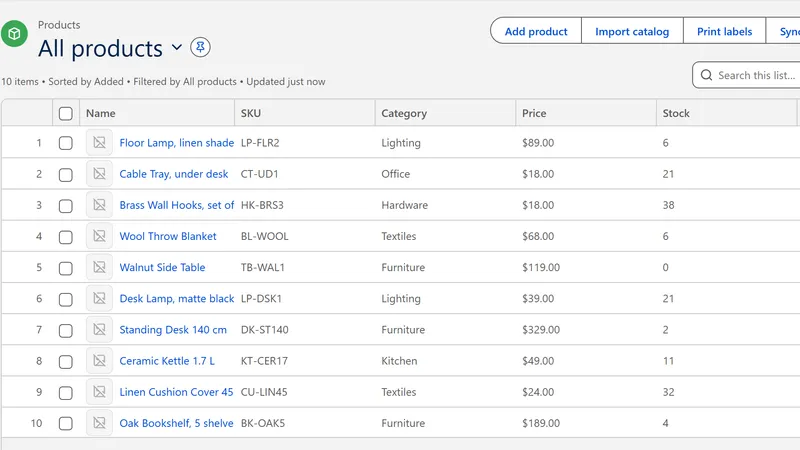
A customer asks whether an item is in stock and what it costs. Anchor reads the product record and replies with the figures and a source card.
Benefit: fewer repeat questions for your team.
Answers from
your records
Anchor gives your website and chat channels an AI assistant that answers from your catalog and business information, hands over to your team at any moment, and explains your sales and stock in plain language.
Product images on this page use made-up demonstration data.
One set of records behind your customers' questions, your team's inbox and your own decisions.
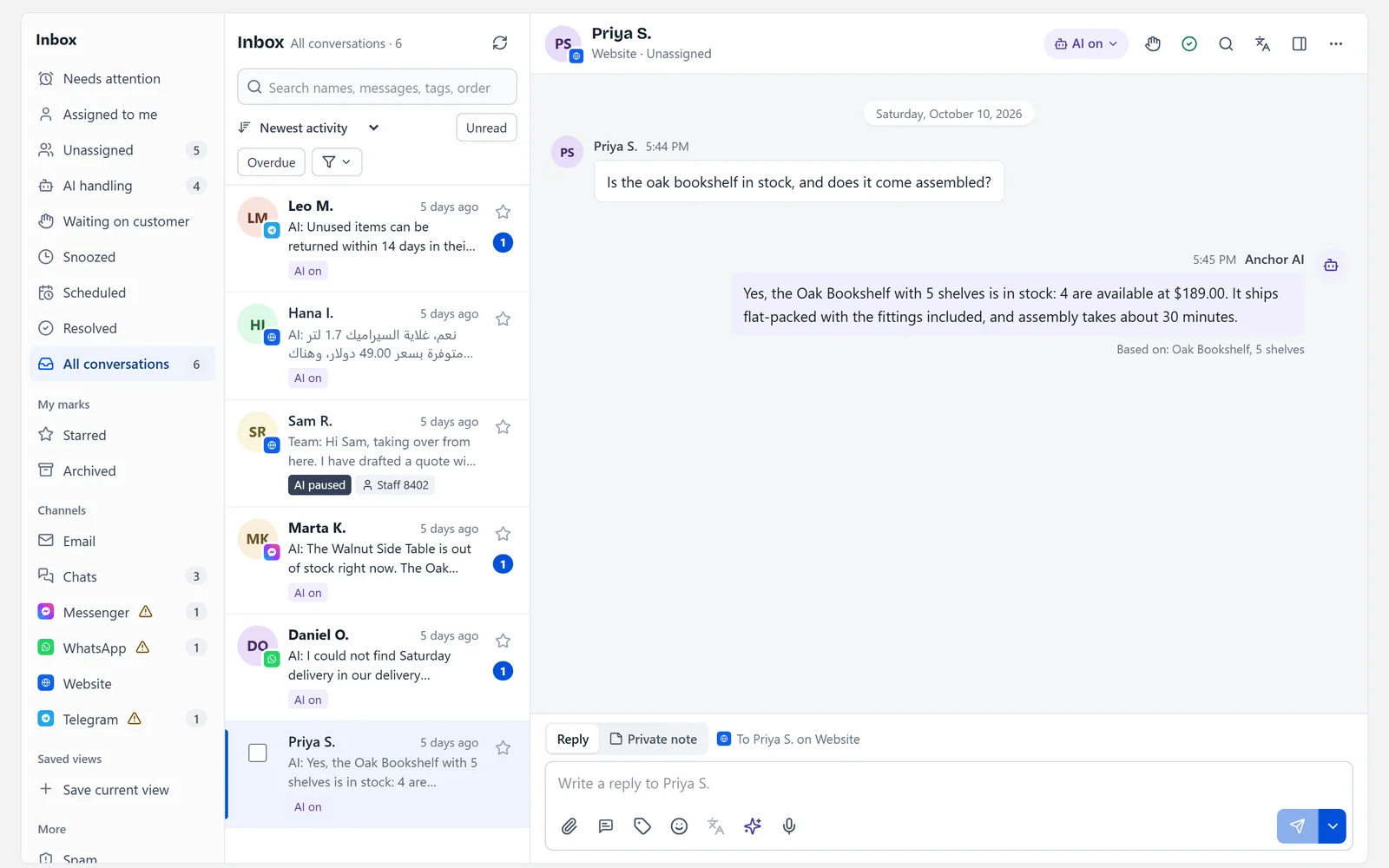
Customers ask about price, stock and details. Anchor retrieves your product and business information first, then replies in plain language with the sources it used.
See how answers are built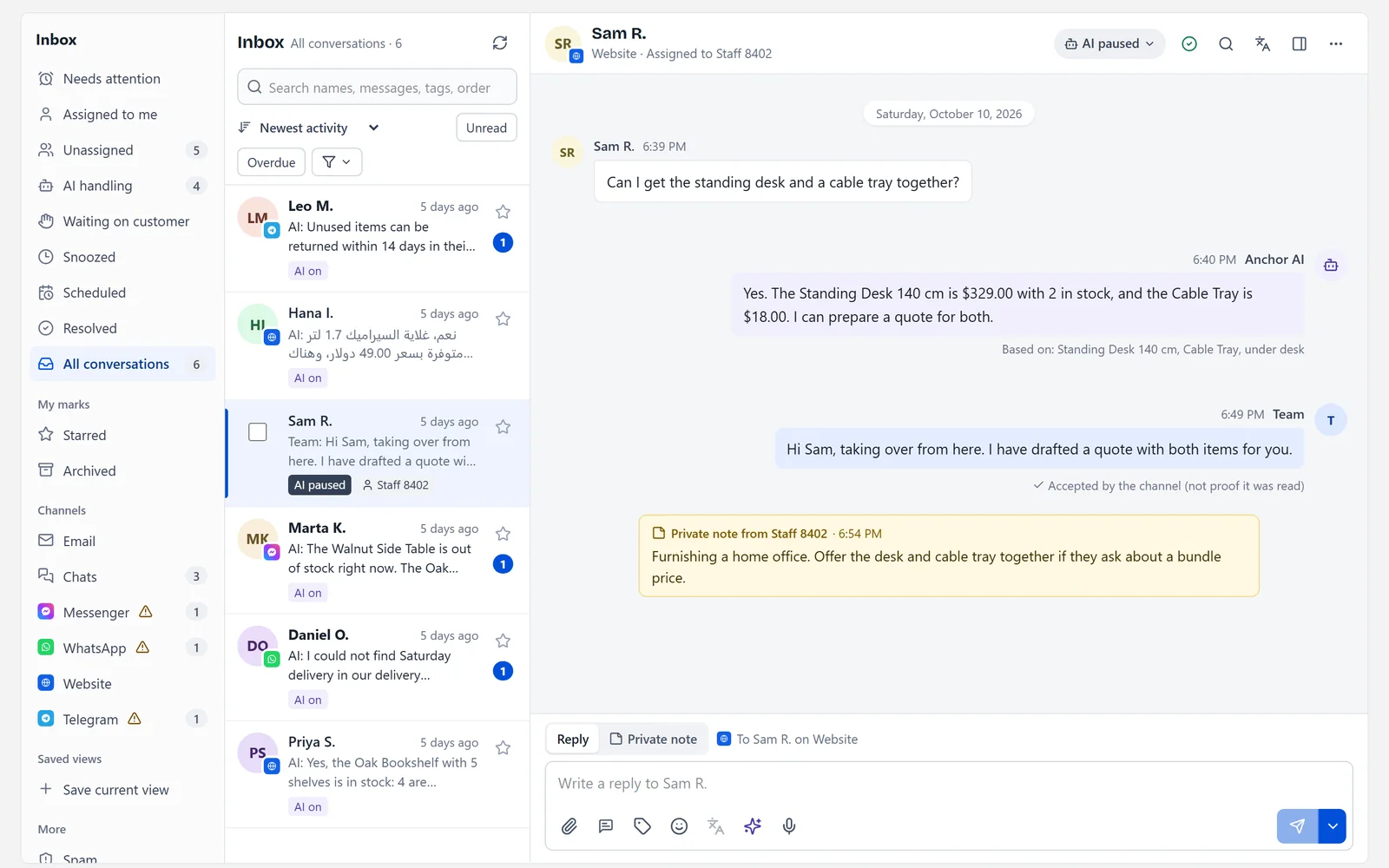
Pause the AI on a conversation, reply yourself and leave private notes for colleagues. Questions the records cannot answer are handed to a person instead of guessed.
Explore the shared inbox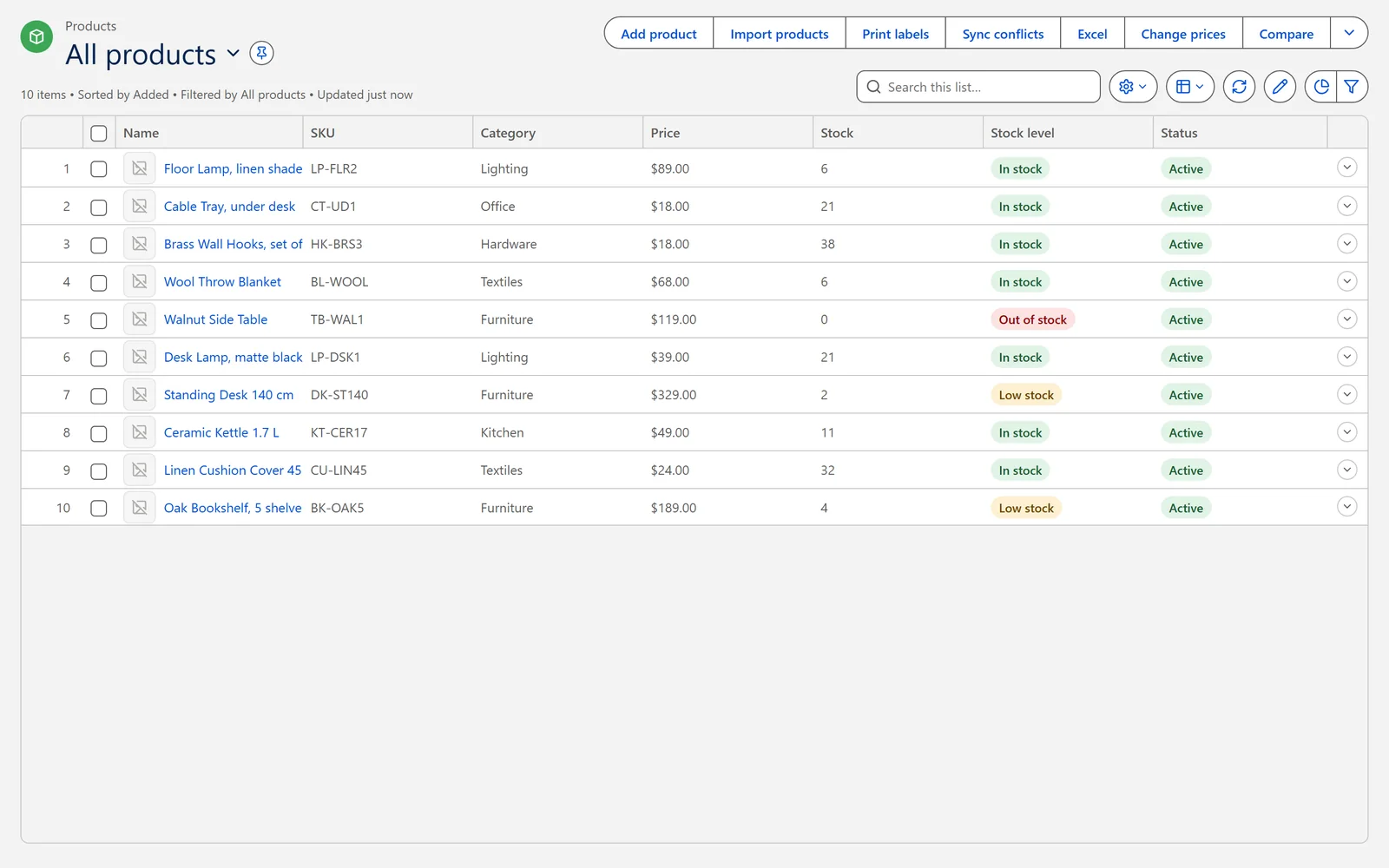
Import products from a spreadsheet, track stock by location and batch, and let every answer, quote and sale read the same numbers.
See the catalog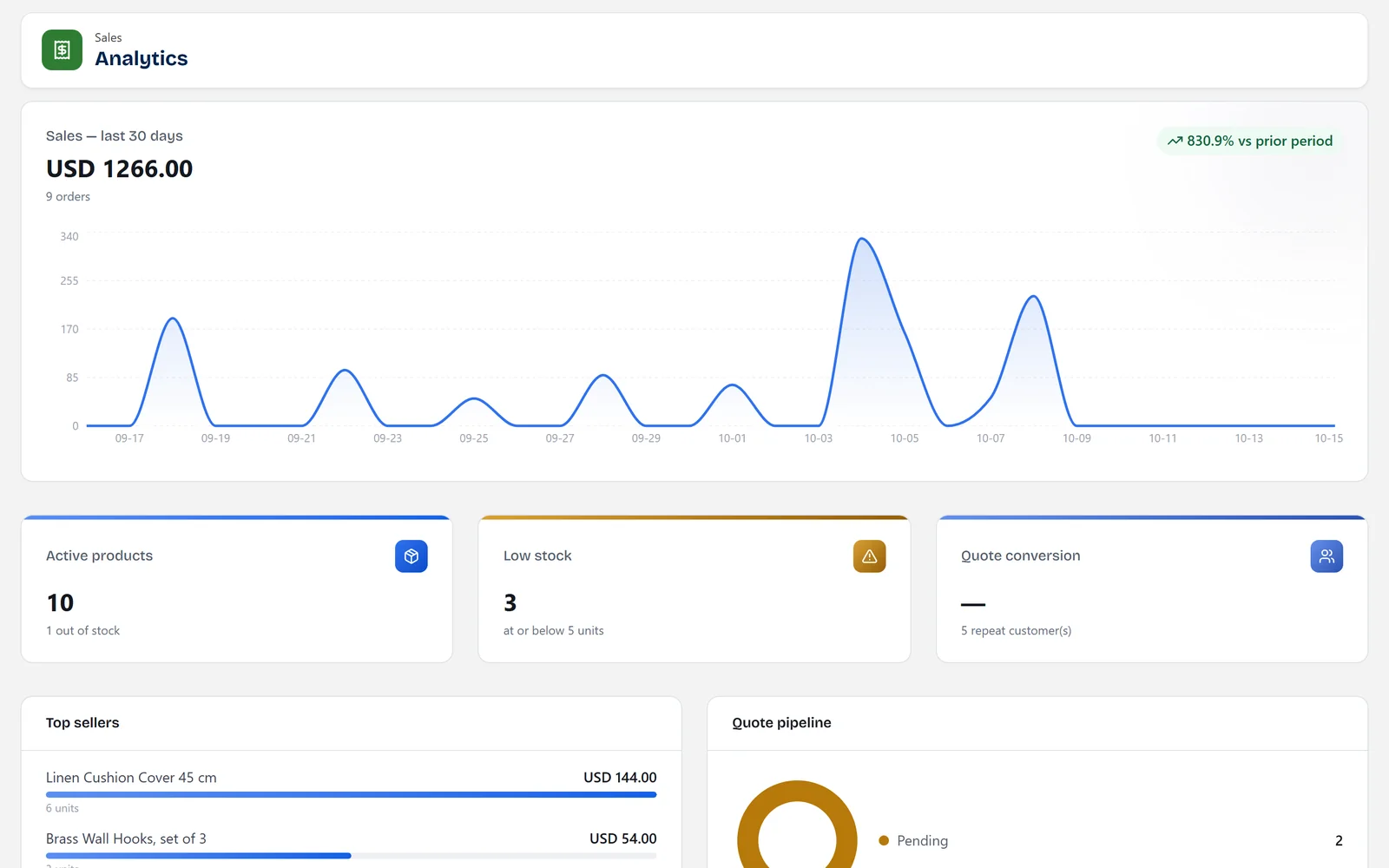
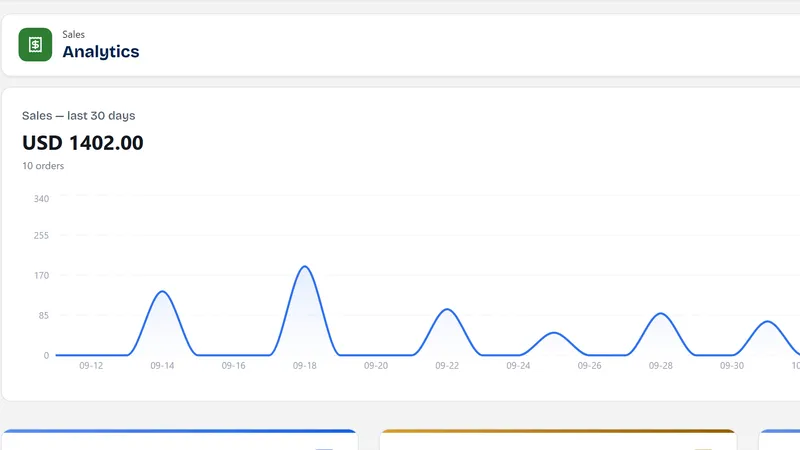
Get a daily brief and ask plain-language questions about sales, margin and stock. Results are computed from your recorded orders, not estimated by the model.
See owner insights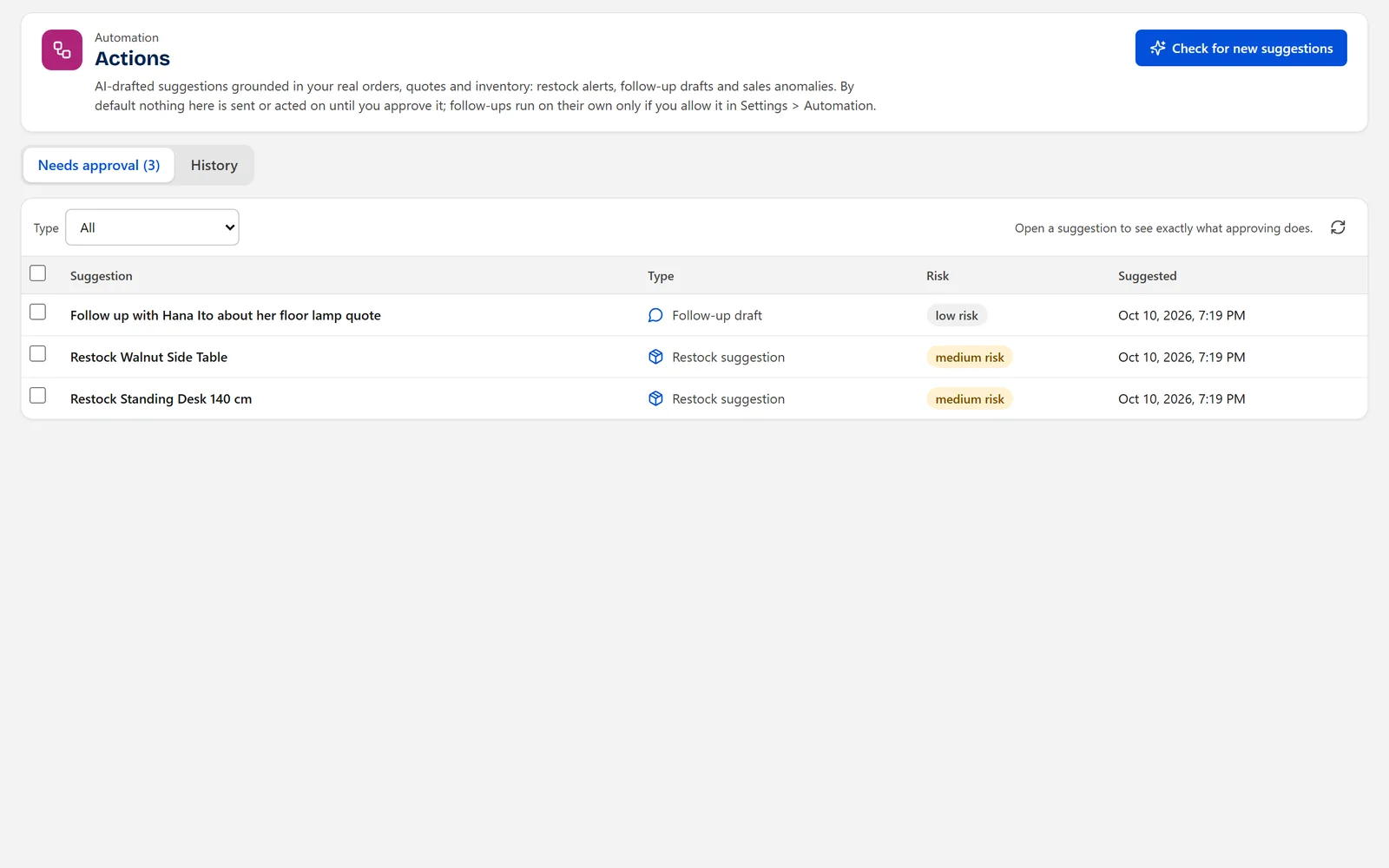
Run it off, ask-for-approval, autonomous or mixed. Suggestions such as follow-ups or restocks wait in a queue until an owner or admin approves them.
See the controlsConnection targets, not customers or endorsements. Some need provider approval. Details
Customers ask the same questions all day.
Anchor answers the routine ones from your records, so you spend your time on the conversations that need a person.
Why Anchor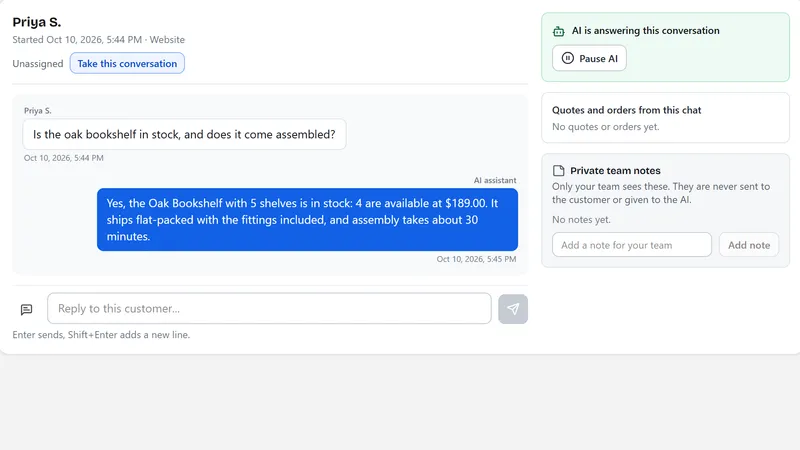
Connect, check, switch on.
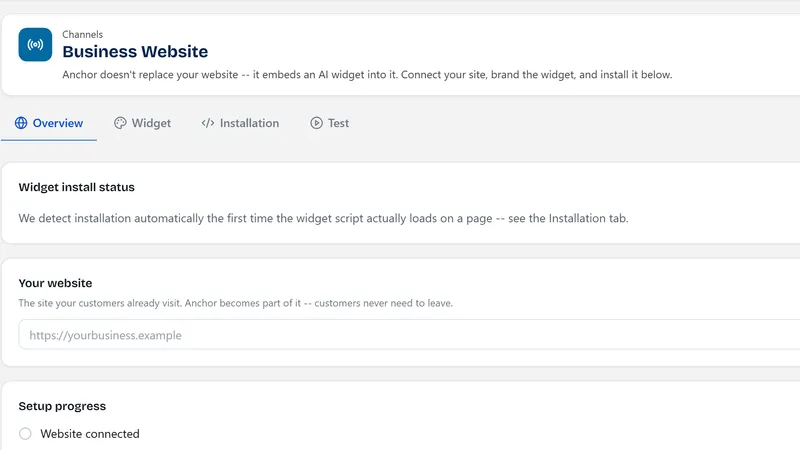
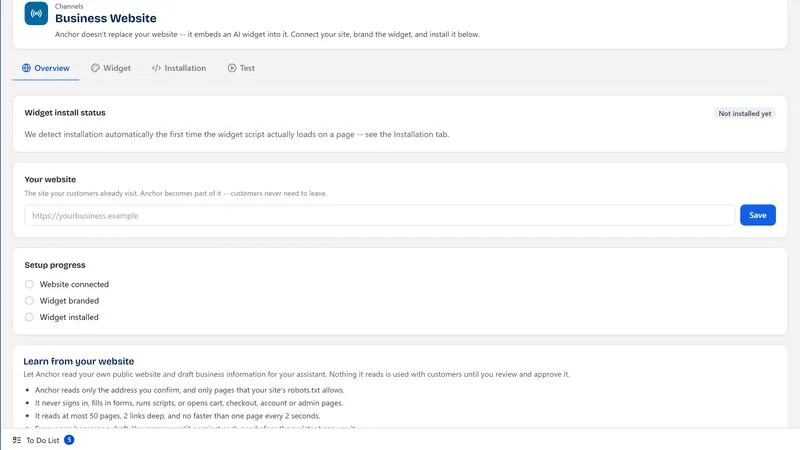
Add your catalog, write down your business information, install the widget or connect a channel, then choose how much the AI may do on its own.
How it works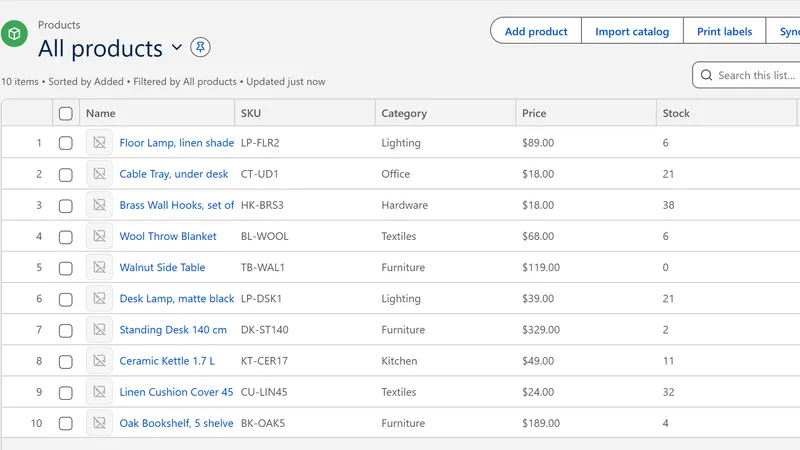
Try it before you sign up.
The guided demo uses a fictional shop with clearly labelled demonstration data. Nothing you do there touches a real business.
Open the guided demo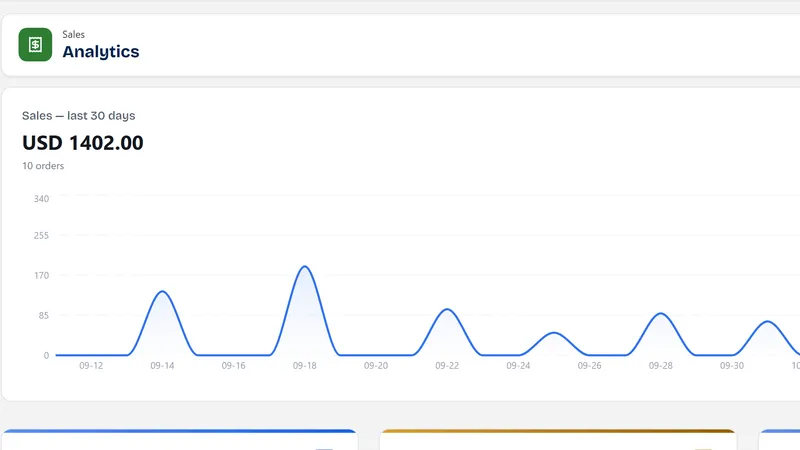
See it in your kind of business.
Walk through typical scenarios for shops, service businesses and teams. They are illustrations, not customer results.
Browse scenarios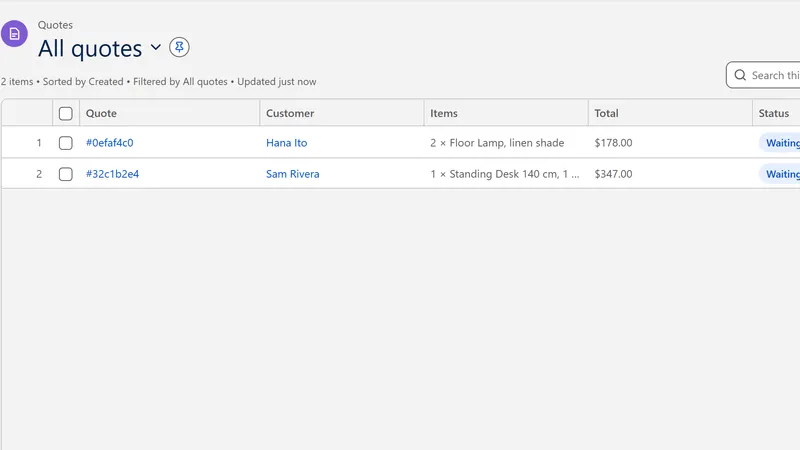
Illustrative scenarios built on features that exist today. Images show demonstration data.
A customer asks whether an item is in stock and what it costs. Anchor reads the product record and replies with the figures and a source card.
Benefit: fewer repeat questions for your team.
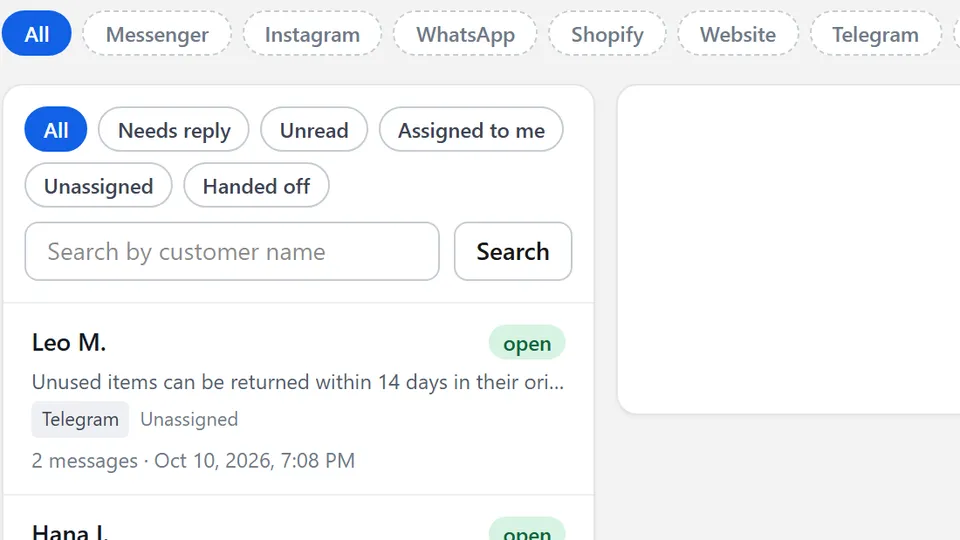
Messages that arrive overnight get an answer from your records or a clear note that a person will follow up. Unanswered threads appear for your team.
Benefit: no customer waits in silence.
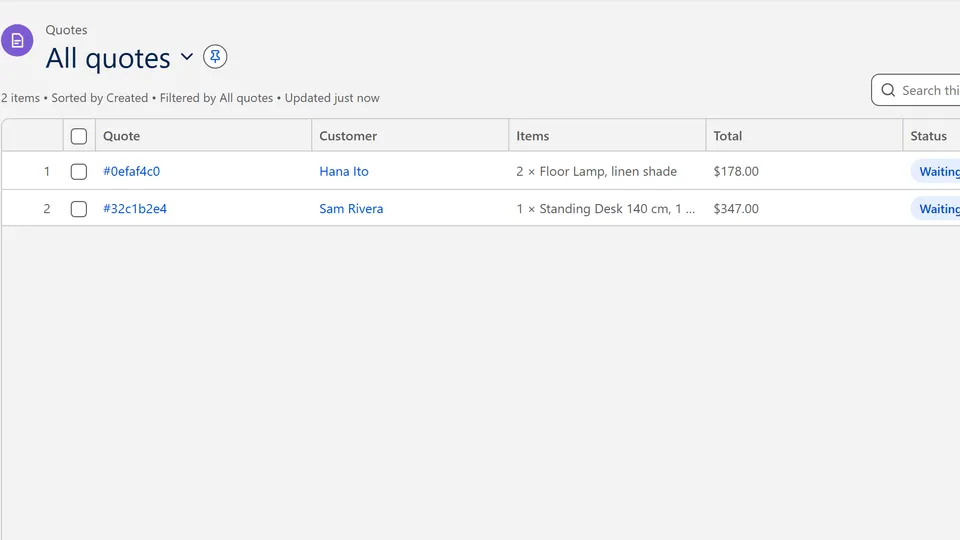
A request in chat becomes a quote you can review, send and convert to an order. Quotes that go quiet reach your daily brief.
Benefit: fewer enquiries lost between chat and order.
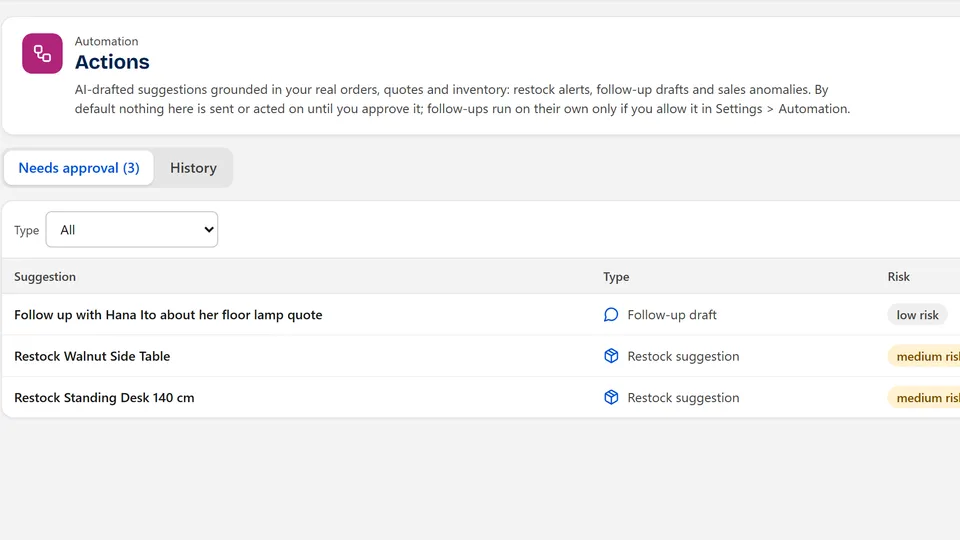
Anchor can suggest a restock when stock runs low. The suggestion waits for approval, and approving it records your decision without ordering anything for you.
Benefit: you decide, with the numbers in front of you.
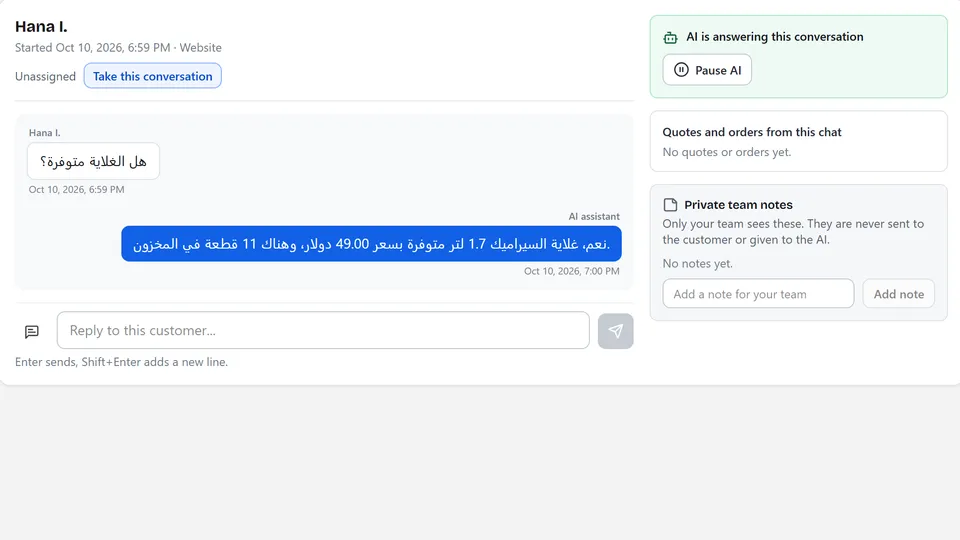
Anchor replies in the language the customer writes in, using your records. Review answers in your own language from the inbox.
Benefit: serve more customers without extra staff.
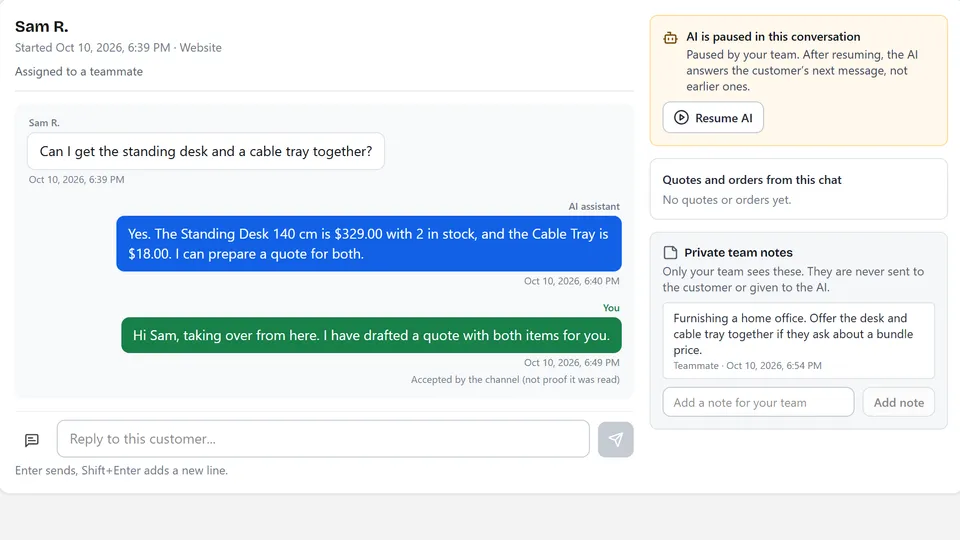
Assign conversations, add private notes and see who is handling what, across the website and the channels you connect.
Benefit: everyone sees the same thread.
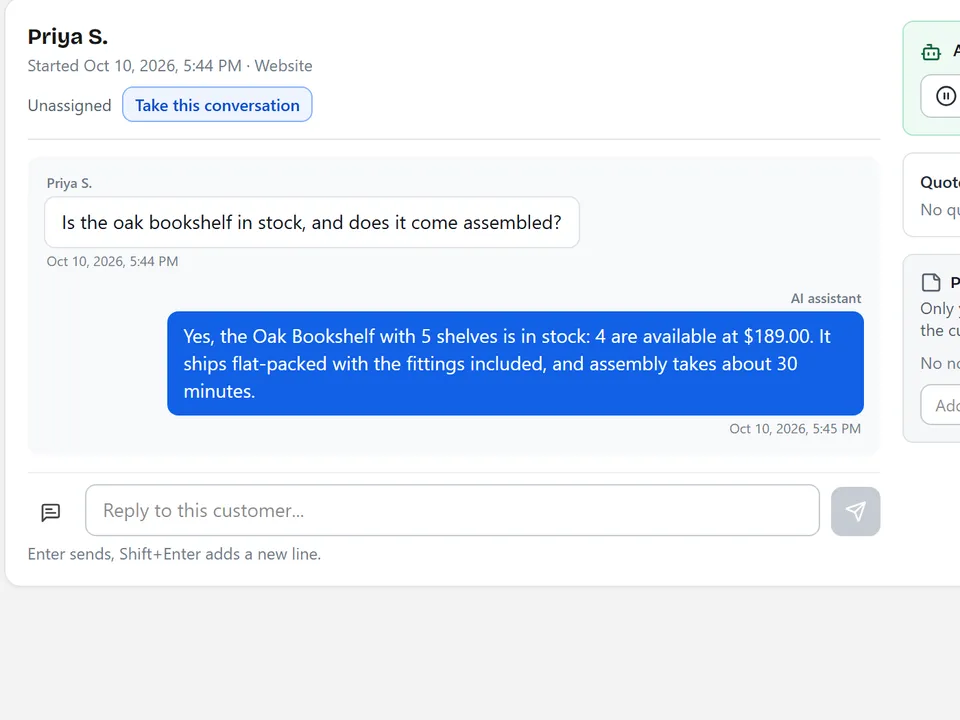
Anchor retrieves records first and explains them second. When the records do not support an answer, it says so and offers to bring in a person.
How grounding works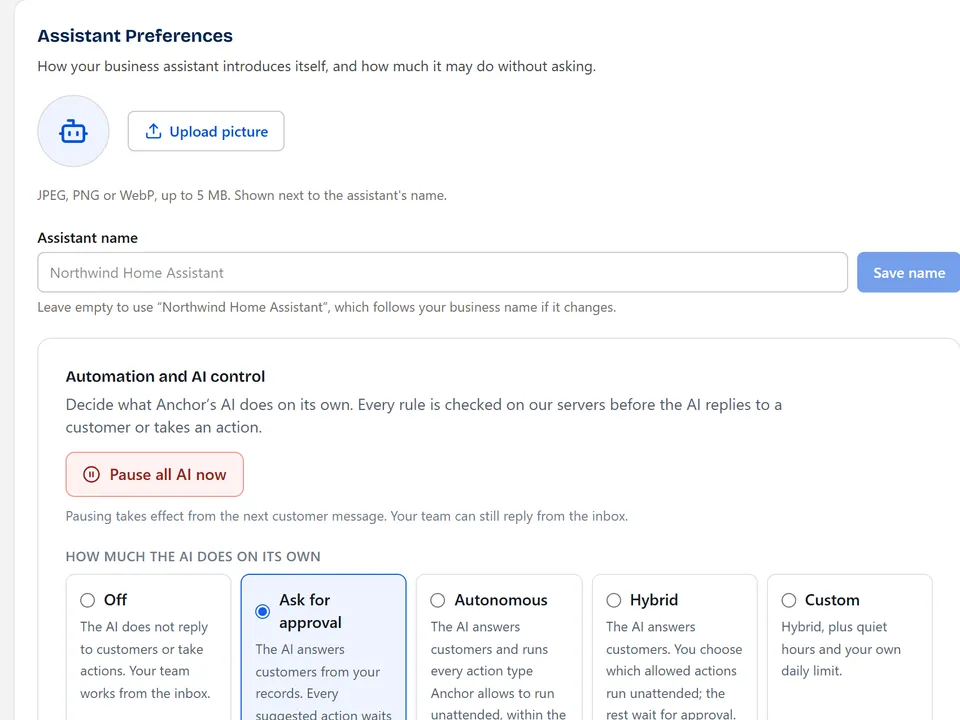
Anchor is an AI business assistant from Pinevon. It answers customer questions from your catalog and business information, gives your team one inbox with takeover, and answers your own questions about sales and stock in plain language.
No. You add a small widget to the website you already have, and import your existing catalog from a spreadsheet or add products by hand. Anchor does not replace your checkout or a point-of-sale system.
It looks up your product and business records first and then writes a reply from what it found, showing the sources. If the records do not support an answer, it says so and offers to bring in your team. No system is perfect, so review important answers and keep your records current.
Yes. Any member can take over a conversation, which pauses the AI on it, and can leave private notes. Owners and admins choose whether the AI runs off, asks for approval, acts on its own or follows a mixed set of rules.
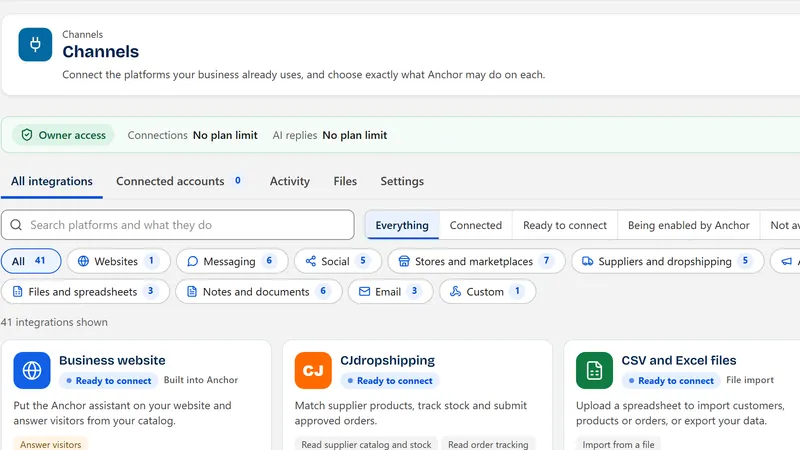
The website widget and hosted storefront work today. Messaging channels, store imports and document sources are available as connections you set up, and some need approval from the provider before they can serve the public. The Channels page lists what each needs.
Every new workspace starts with a 14-day free trial of Pro and no card is required. After that you choose a plan; the pricing page shows current plans, limits and any introductory offer.
AI replies stop for the workspace, your records and inbox stay in place, and nothing is deleted. You can pick a plan later and continue.
Each request is checked against your business membership before any data is read or written, and roles control who can change settings. Read the security page for what is and is not covered.
Your records are used to answer your customers and you. The privacy policy explains what is stored and your choices.
Anchor does not take payments, run a checkout or deploy code, and it does not replace staff judgment. Some channels and integrations are still waiting on provider approval. The product overview lists what each area does not do yet.